10 Gaming Room Ideas That’ll Level up Your Home Instantly
Your gaming room deserves more than a desk, a chair, and a dusty console. It should feel like your own command center—cozy, bold, and a tiny bit dramatic (because boss fights demand mood lighting, obviously).
Whether you’re a PC warrior, a console loyalist, or someone who just wants a stylish streaming nook, I’ve got you covered.
These 10 gaming room ideas balance style and performance—so your setup looks fire and plays even better. Let’s dive in.
1. Command Center Lighting That Actually Slaps

Lighting is everything. It sets the vibe, reduces eye strain, and makes your setup look like it belongs on a tech blog. And no, a single ceiling light doesn’t cut it.
Build Your Glow
- Bias lighting behind your monitor/TV: Better contrast and less eye fatigue.
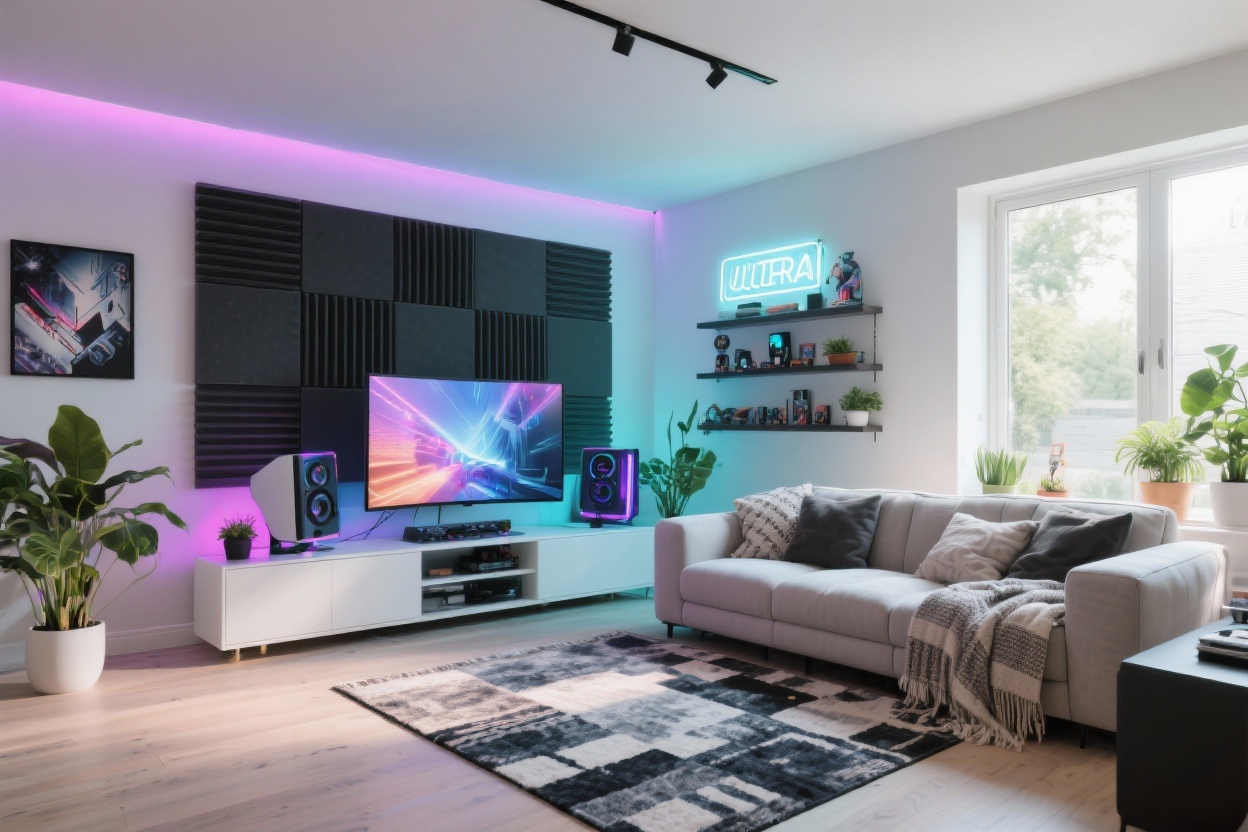
- Smart RGB strips under shelves and behind the desk: Sync to music or games.
- Layered lamps: One floor lamp + one desk lamp keeps it cozy, not clinical.
Keep your palette cohesive. Pick 1–2 signature colors (electric blue + violet, anyone?) and lock them in. FYI: warm amber at night feels calm and cinematic.
2. The Desk Setup That Means Business

Your desk is the star. Whether you’re grinding ranked matches or editing clips, you need space, stability, and smart cable routes.
What to Look For
- Solid surface: 55–70 inches wide if you’re running dual/triple monitors.
- Cable grommets or channels: Hide the spaghetti. You’ll thank yourself later.
- Monitor arms: Free the desk, get ergonomic, and angle screens perfectly.
Add a large desk mat for unified texture and cleaner lines. If you’re into streaming, consider a clamp-on mic boom arm and a low-profile LED key light—game changer for camera quality.
3. Seating You Can Actually Sit In For Hours

Hot take: you don’t need a “gamer chair” with racing stripes. You need support, breathability, and good adjustability. That’s it.
Comfort Checklist
- Adjustable lumbar support and seat depth: Save your back.
- Breathable mesh or performance fabric: No swamp back.
- Footrest or ottoman if you’re on console: Recline like a pro.
Console crowd? A low-slung loveseat or two modular floor chairs look chic and handle friend nights. Add a petite side table for controllers and snacks—priorities.
4. Sound That Goes Boom (Without Being A Bad Neighbor)

Let’s talk audio. You want crisp footsteps, cinematic explosions, and zero echo. That’s an aesthetic choice too—no one wants a hollow room.
Smart Sound Setup
- Soundbar + sub for console setups: Clean look, solid performance.
- Bookshelf speakers on stands for PC: Better stereo imaging.
- Acoustic panels or fabric wall art: Tames echo and looks curated.
Night owl? Grab a good closed-back headset and a small headphone stand. Keep cables tidy with magnetic clips. Your future self says thanks.
5. Wall Style: Go Bold Or Go Subtle, But Make It You

Walls are free real estate for personality. Play it dramatic or keep it sleek—just avoid the “blank rental beige” vibe if you can.
Easy Wins
- Accent wall: Deep charcoal, midnight navy, or a saturated green = instant drama.
- LED neon sign: A phrase, icon, or your gamer tag—instant focal point.
- Framed prints or minimal grid gallery: Retro posters, concept art, maps.
If you’re extra, try wood slat panels with backlighting. It’s modern, adds texture, and looks insanely premium in photos.
6. Storage That Looks Clean (Even When You’re Not)

Clutter kills the vibe. Hide the mess, display the cool stuff, and design for easy reset after long sessions.
Storage Strategy
- Closed cabinets for extra cables, controllers, and random gear.
- Open shelves for collectibles, figures, and limited edition boxes.
- Drawer dividers for SD cards, charger bricks, and batteries.
Label everything subtly. Use Velcro straps, cable sleeves, and a power strip mounted under the desk. Out of sight, out of mind, out of chaos.
7. Theme It (Lightly) For Maximum Impact

Themes are fun—but keep them grown-up. The trick is picking a direction without turning your room into a cosplay convention (unless that’s the goal—then go off).
Choose A Vibe
- Sci-fi minimal: Black, silver, cool white lighting, clean lines.
- Retro arcade: Pixel art prints, bold colors, maybe a mini cabinet.
- Cozy RPG den: Warm wood tones, soft lighting, map art, textured rugs.
Anchor with 2–3 repeating materials (matte black metal, walnut wood, smoked glass) and 1 signature color. That restraint makes it look intentional, not busy.
8. Stream-Ready Backdrop Without The Chaos

If you’re streaming or hopping on video calls, your background matters. It’s part of your brand—and your vibe.
Backdrop Basics
- Shelf with curated props: A couple of plants, controller display stands, framed art.
- Balanced lighting: One key light on you, one soft backlight for depth.
- Color contrast: If your lighting is cool, add warm wood or amber accents behind you.
No clean wall? Use a fabric backdrop in a deep color or a collapsible panel. Keep it consistent—your viewers will instantly recognize your space.
9. Comfort Layers: Textiles, Plants, And Break Zones

Your gaming room should be a place to chill between matches. Little comfort upgrades make a huge difference.
Layer The Cozy
- Rug: Defines the space and dampens sound. Low pile for easy rolling.
- Throw blanket + pillow: Add texture and color. Keep it grown-up with woven or boucle.
- Low-maintenance plants: Snake plant or pothos for life and contrast.
Have a micro break zone: a compact chair, a side table, and a small lamp. Your eyes (and temper) will appreciate a quick reset.
10. Performance Touches That Make Everything Smoother

Design is nothing without function. These little upgrades keep your setup quiet, cool, and butter-smooth.
Pro Tips
- Cable management tray under the desk: Clean visuals, safer feet.
- Surge protector or UPS: Protects gear and avoids sudden shut-offs.
- Cooling pads/stands for laptops and proper airflow for PCs and consoles.
- Wall-mounted power raceways: Hide cords if you can’t run them in-wall.
- Automations: One smart button to power lights, monitors, and speakers at once.
If you’re hardcore, add a network switch and go wired. Stable ping > everything. IMO, nothing says “serious setup” like reliability.
Quick Room Layout Ideas
- PC Nook: Desk near a wall with panels, shelves above, soft lamp at the edge.
- Console Lounge: Low media unit, 55–65” TV, soundbar, two comfy chairs or a loveseat.
- Hybrid: L-shaped desk facing one wall, TV on the adjacent wall with a small sofa opposite.
Remember: measure, plan cable routes, then build. You’ll avoid chaos and keep the final look clean.
Mini Shopping List (Optional, But Handy)
- Monitor arms, large desk mat, cable tray, Velcro straps
- Smart RGB strips, bias lights, one floor lamp
- Ergonomic chair or low lounge seating + ottoman
- Soundbar or bookshelf speakers, acoustic panels
- Shelving (one closed, one open), drawer dividers
- Rug, throw, pillow, easy plant
- Surge protector/UPS, smart plug or button
Final Styling Tips
- Stick to two main colors and one accent for cohesion.
- Repeat materials (metal, wood, fabric) to tie zones together.
- Keep surfaces 50% empty. Breathing room looks expensive.
There you have it: 10 gaming room ideas that look slick and play even better. Start with lighting and seating, then layer in storage and style. Soon your space will feel like the final boss of home setups—and yes, your friends will be jealous. Now go queue up your favorite game and enjoy the glow.